GENTOO TESTNET INSTRUCTIONS & GUIDELINES

Hi Gentoo community,
Gentoo's Testnet is now open for everyone to explore. Are you ready to use it?
If you don’t know how to get started, don't worry, our guidelines below will assist you.
I - Set up
Before exploring all features on Gentoo, it's crucial to complete the following steps to ensure a seamless user experience.
1. Connect your wallet
Step 1: Access Gentoo testnet: https://app-testnet-beta.gentoo.finance/
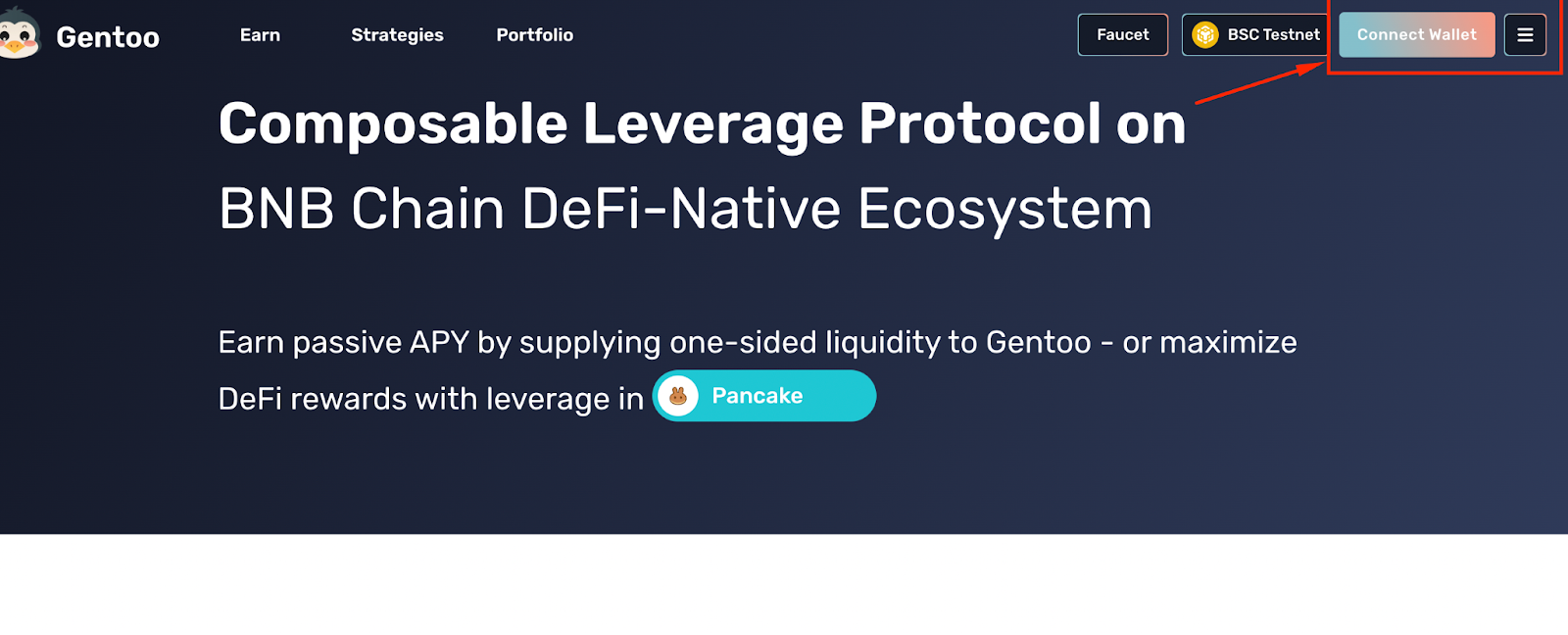
Step 2: Click on the “Connect Wallet” button
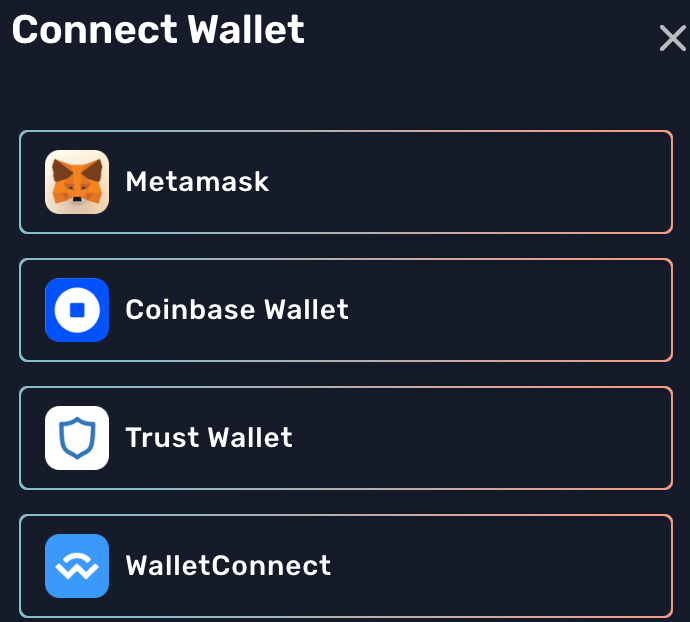
Step 3: Choose the wallet you want to connect (We recommend you use Metamask for the best experience).
⚠️Notes: Make sure you have switched your wallet to BSC Testnet Chain.
Details how to add the BSC Testnet to your wallet HERE.
2. Get $BNB fee
To experience any product on the BNB Chain, it's crucial to have BNB in your wallet as gas fee. So, here's the instruction on how to get BNB on testnet:
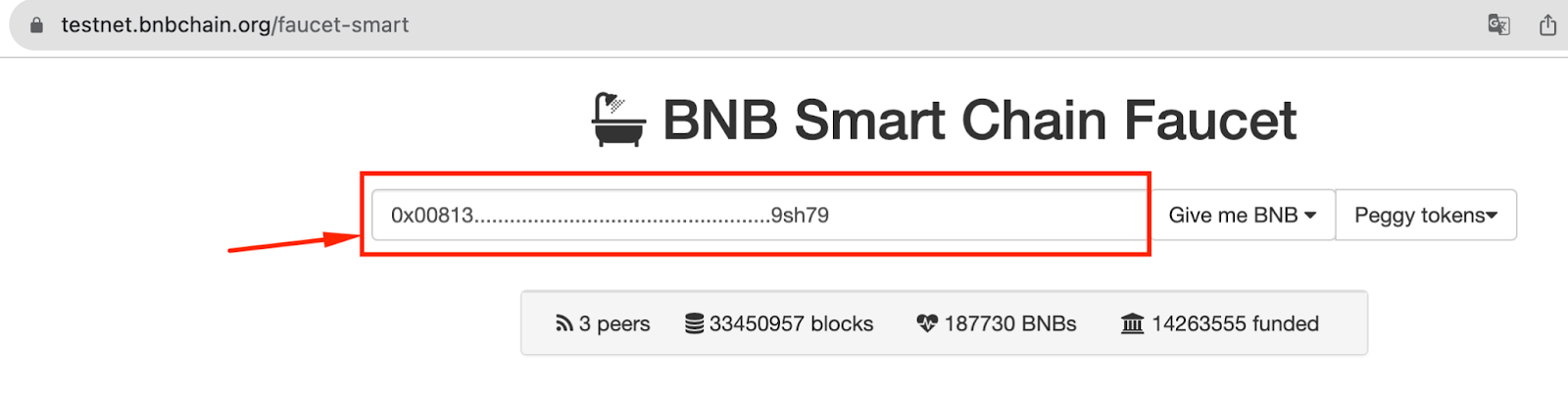
Step 1: Access BNB Testnet faucet: https://testnet.bnbchain.org/faucet-smart
Step 2: Copy your wallet address and put it on the blank
Step 3: Click on “Give me BNB" to receive 0.1BNB Testnet
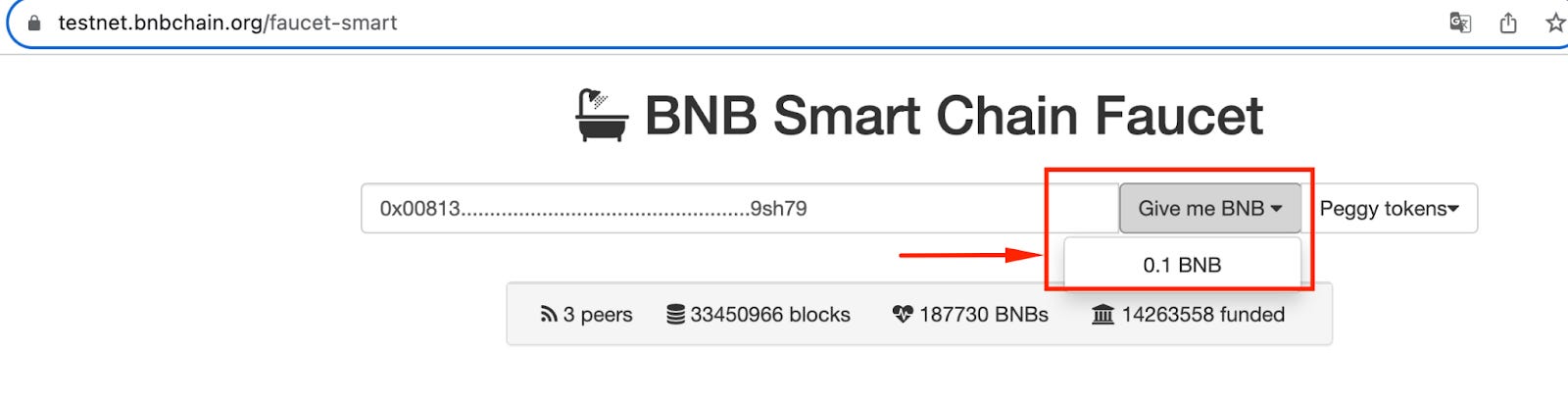
Finally, check your wallet address to see if you have received your Testnet $BNB.
3. Get testnet tokens
After acquiring testnet BNB for fees, the next step to utilize Gentoo's features is obtaining tokens test through our Faucet.
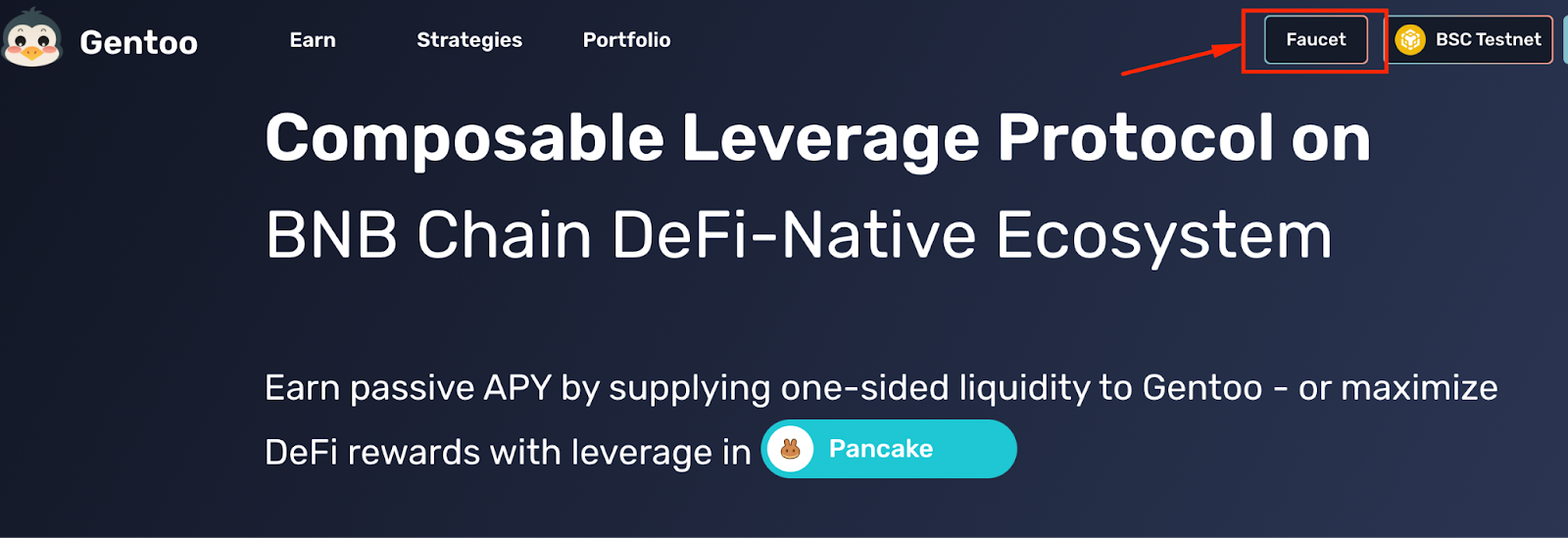
Step 1: At the homepage of Gentoo, click on the “Faucet" button.
Step 2: Click on 3 tokens: USDT, WBNB, ETH to get test tokens.
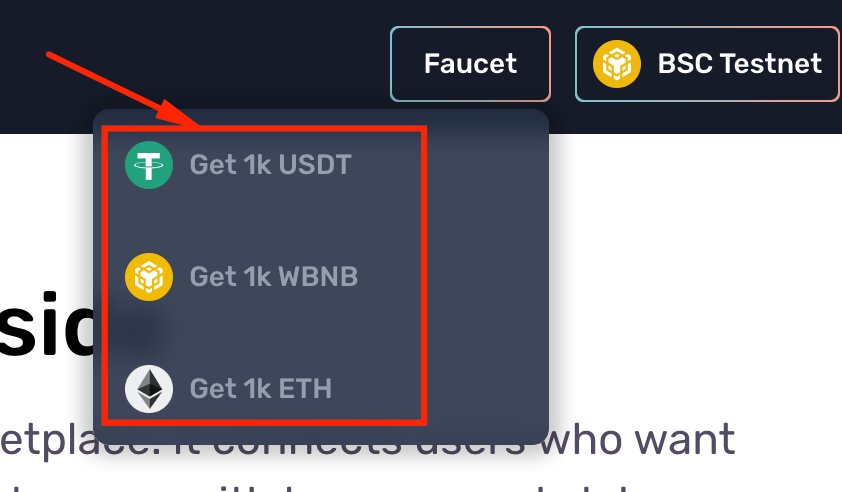
Step 3: Confirm transaction in your wallet. After a few wait the tokens test will be sent to your wallet.
Notes: To check the balance of test tokens in your wallet, you can add these below contracts to your wallet.
- $USDT: 0x4224d18448b5E88f7d83E053cffB44a9078b05F0
- $WBNB: 0x210B907D269C5Cf76972A621AeA5DD83f62D37C0
- $ETH: 0xf72C0EA6E12c12818a541a29a0F04F9C1322D2e4
- $BUSD: 0x74dbD2AAD5F894317ddC54457b144daF61003BFb
II - Experience
In this testnet version, we've nearly completed all the features for you to explore, GenFans. And here's a preliminary guide on how to use these features:
1. Experience “Earn" feature
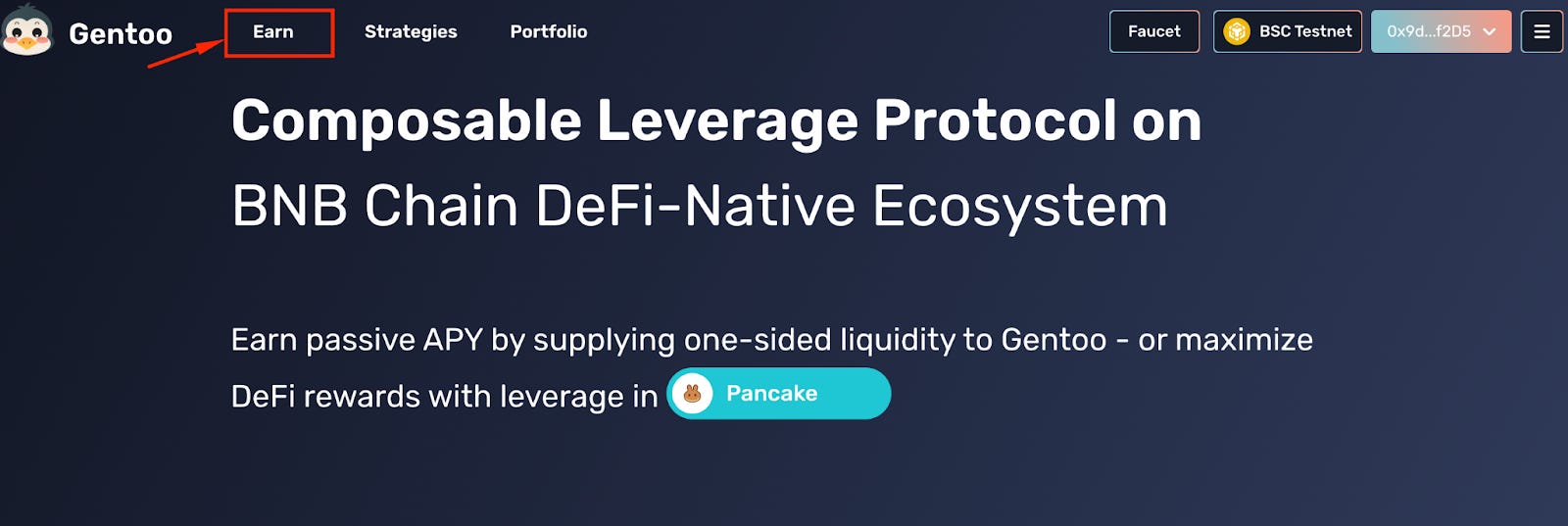
Step 1: On Gentoo's homepage, click on the “Earn" button.
Step 2: Provide liquidity
- At the “Passive Pools" click on “USDT pool" and a window will open. Choose the number of USDT that you want to supply and you will see all the details:
+ Balance: The balance of USDT in your wallet
+ Supply APY: Annual interest
+ Current deposits: The number of USDT tokens that you already deposited to Passive Pools
+ Mint: The number of Br token you will receive after deposit to this pool
+ Yield Forecast: The expected amount of profit you will earn in 30 days, 90 days and 1 year
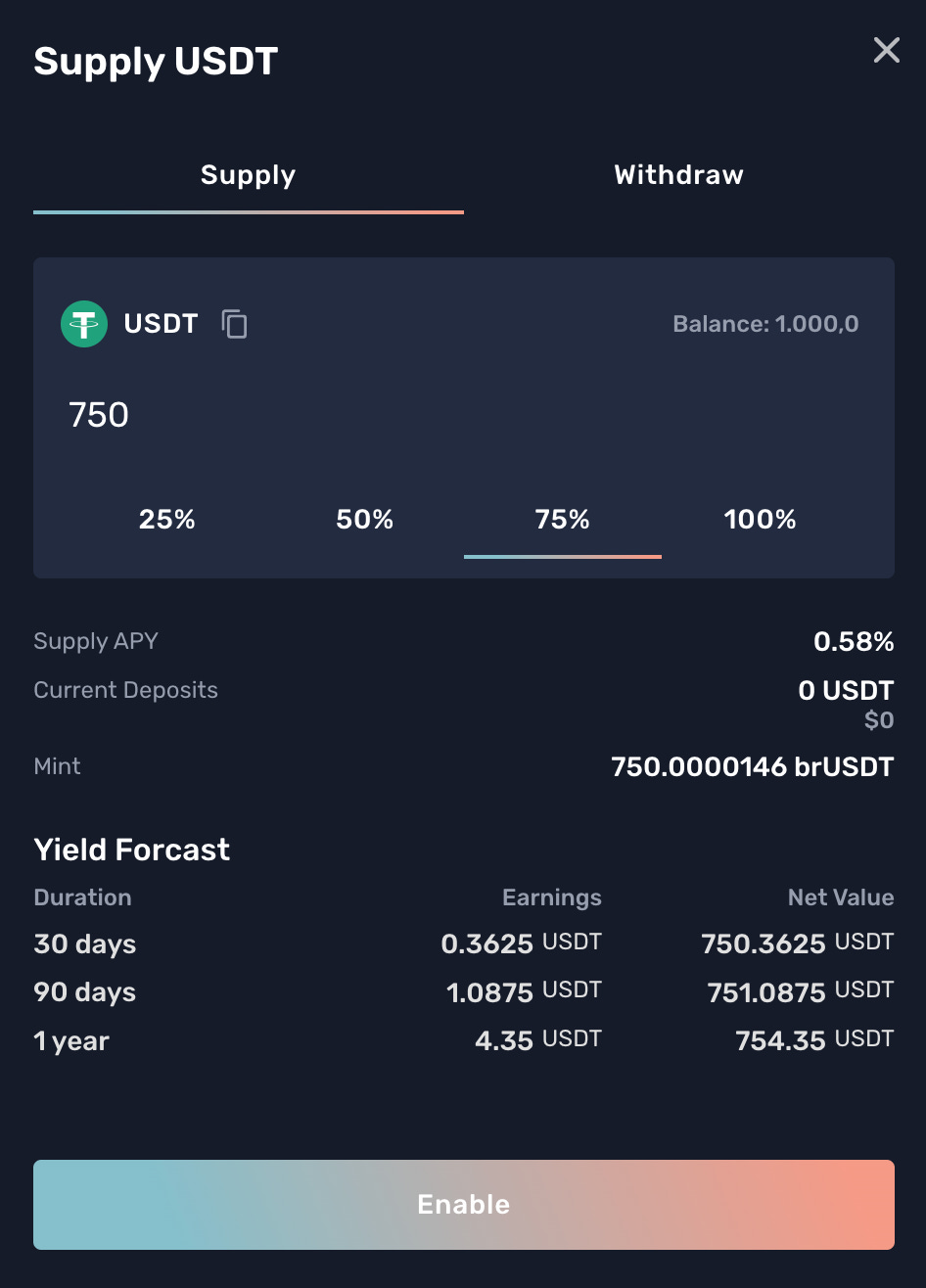
- Click on “Enable” button then confirm the transaction in your wallet

- After a few waits, you will see your supply in the Passive Pools and the number of Br tokens in your wallet.
+ Br token contract: 0x1717A18A52802224Fa5Ca292DeE04C8B11959a9e
The same as Providing liquidity to $USDT pool
Step 3: Withdraw your supply
- Click on the “Withdraw" button and a window will appear with the details as below:
+ Balance: The balance of your deposited USDT
+ Current Deposits: The number of your supplied Br token in the Passive Pools
+ Maximum Withdraw: The total number of USDT that are available to withdraw in this pool
+ Burn: The corresponding number of your Br tokens that will be burnt
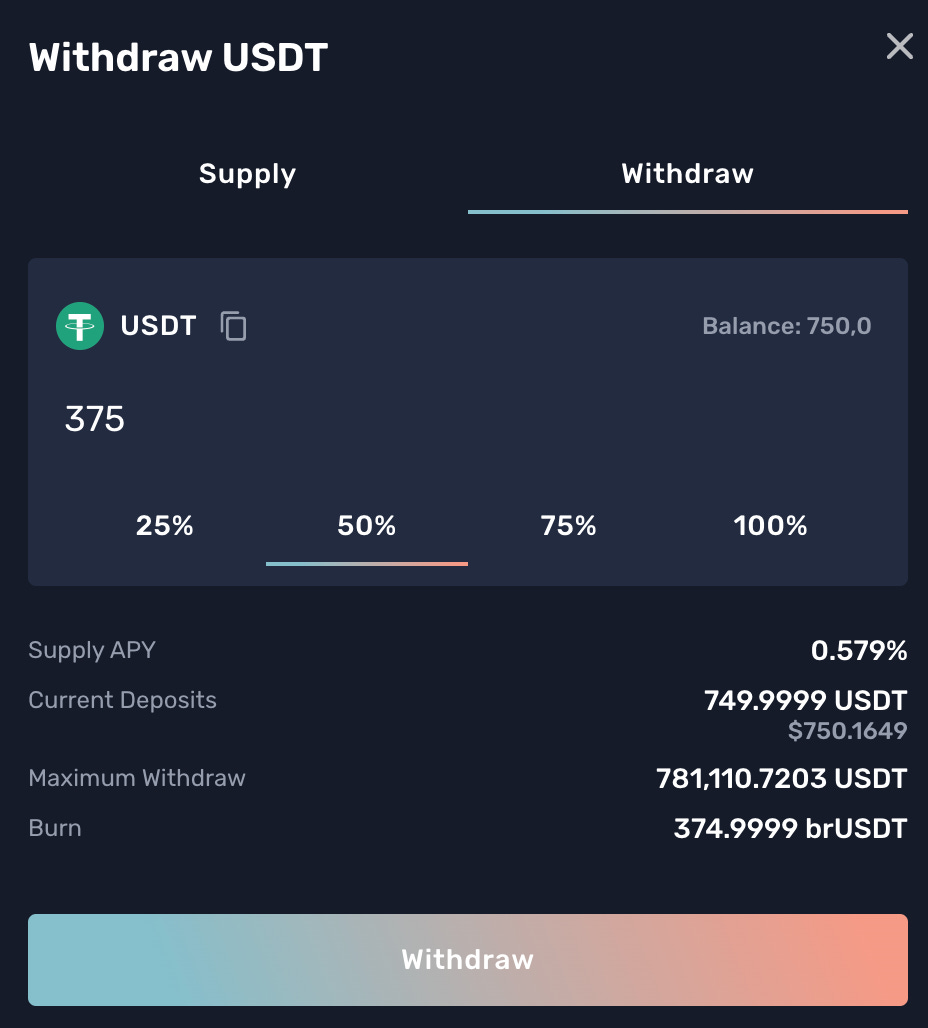
- Click on “Withdraw" and confirm the transaction in your wallet
- After a few waits, you will see the number of USDT back to your wallet and the corresponding amount of Br tokens are also burned.
Notes: If you want to experience the “BUSD pool”, do the same as the instruction for “USDT pool.
2. Experience “Strategies" feature
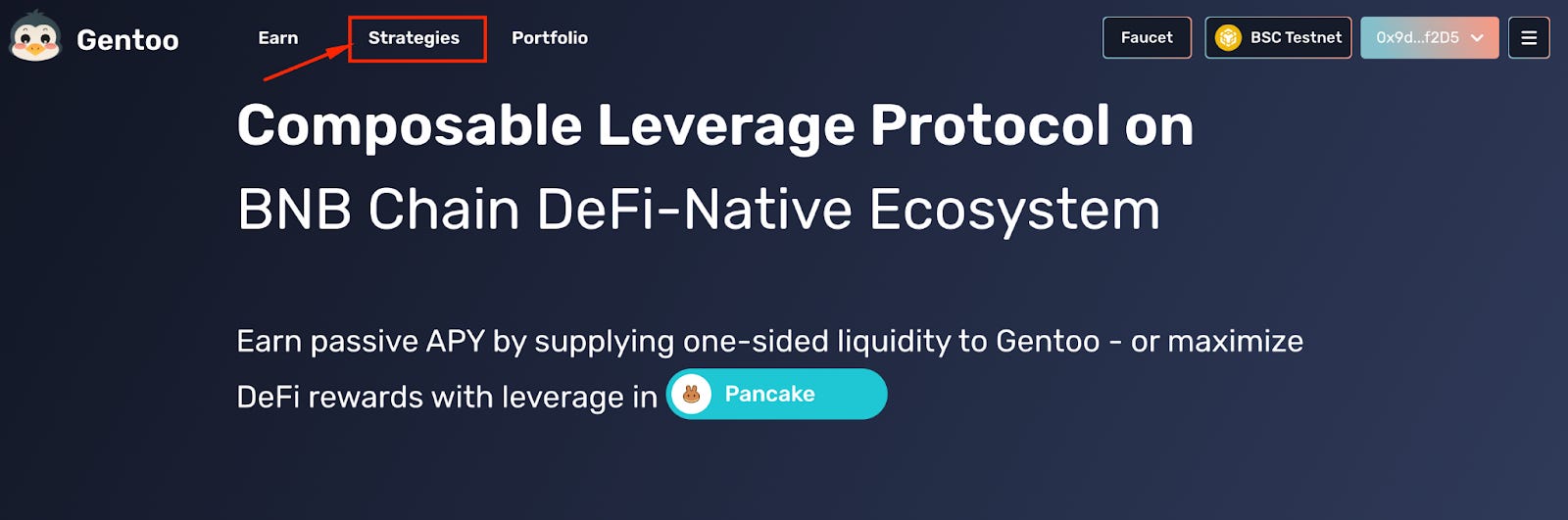
Step 1: At the homepage of Gentoo, click on the “Strategies" button.
Step 2: Experience the BNB pool
- Click on “One-Click Ape in" button
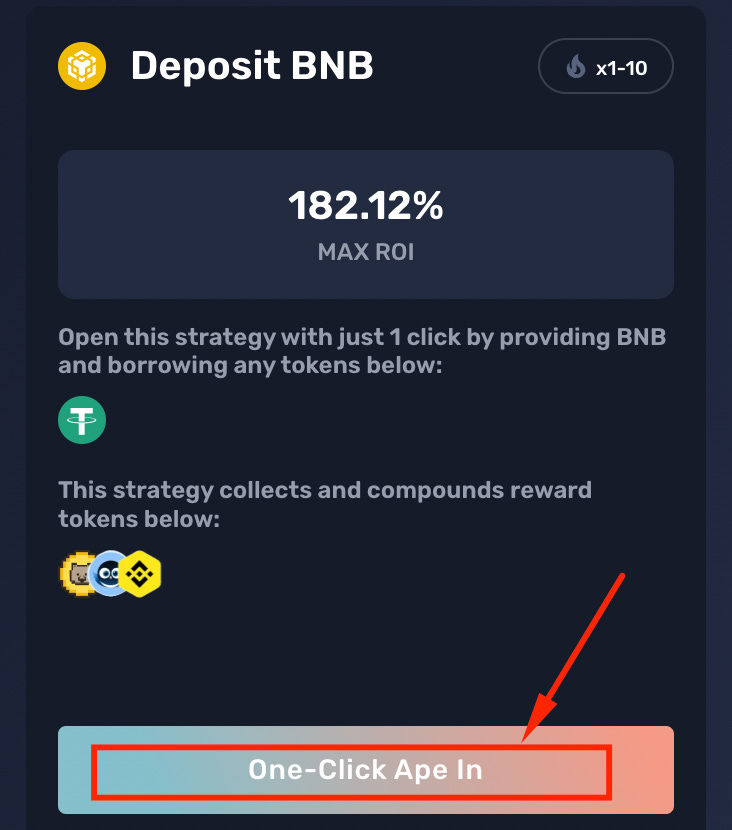
- A window will open with the details as below:
+ Balance: The balance of WBNB in your wallet
+ Leverage: The liquidity you want to borrow (from 1-10x)
+ Principal: Your initial deposited funds
+ Fee: The interest rate you need to pay (2.5% of your principal)
+ Account Value: The total number of funds in your Credit Account (including your initial funds + your leveraged borrowing funds + your earned rewards)
+ Your debt: The number of funds (in USDT) you need to repay
+ Borrow Rate: The annual rate need to be paid
+ Health Factor: The index that tracks the value of your assets. If Health Factor falls below 1, your Credit Account will be liquidated
+ Liquidation price: If the BNB price drops to that price, your Credit Account will be liquidated
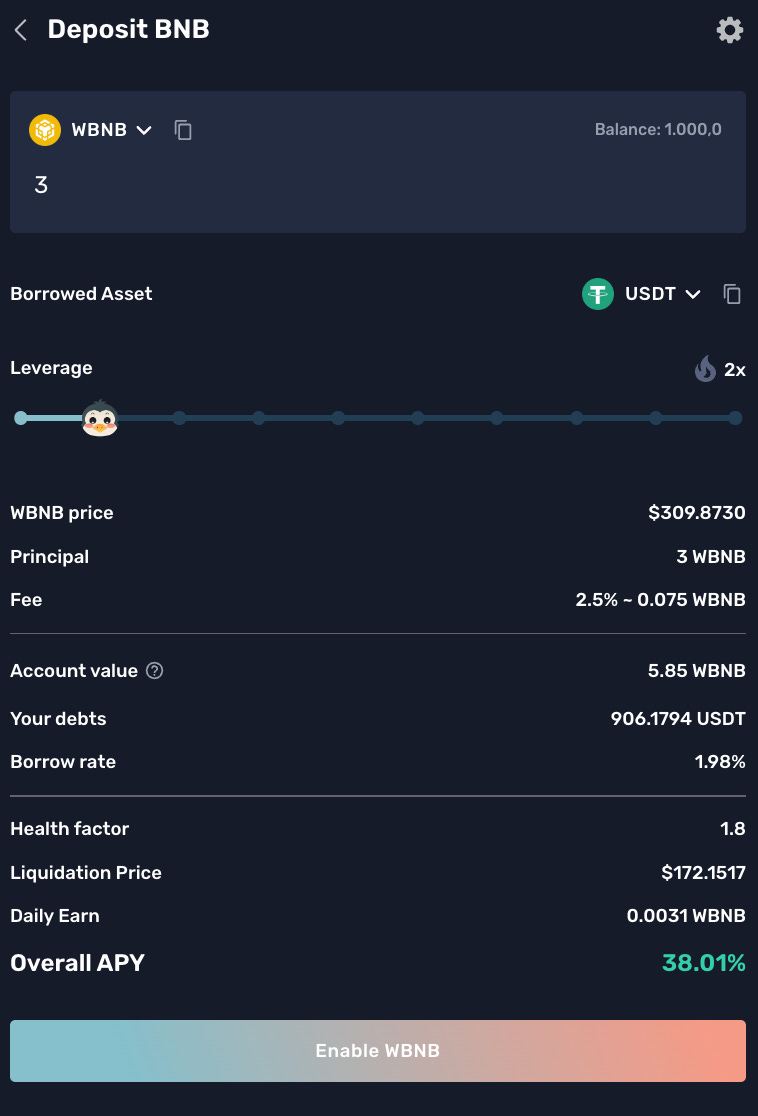
- Enter the number of WBNB you want to deposit and the leverage (from 1-10) you want to borrow.
- Click on the “Enable WBNB" button.

- Click on the “Deposit” button then confirm the transaction in your wallet.

- After a few waits, you will see your position with all the details and the number of funds you earn daily (in WBNB)
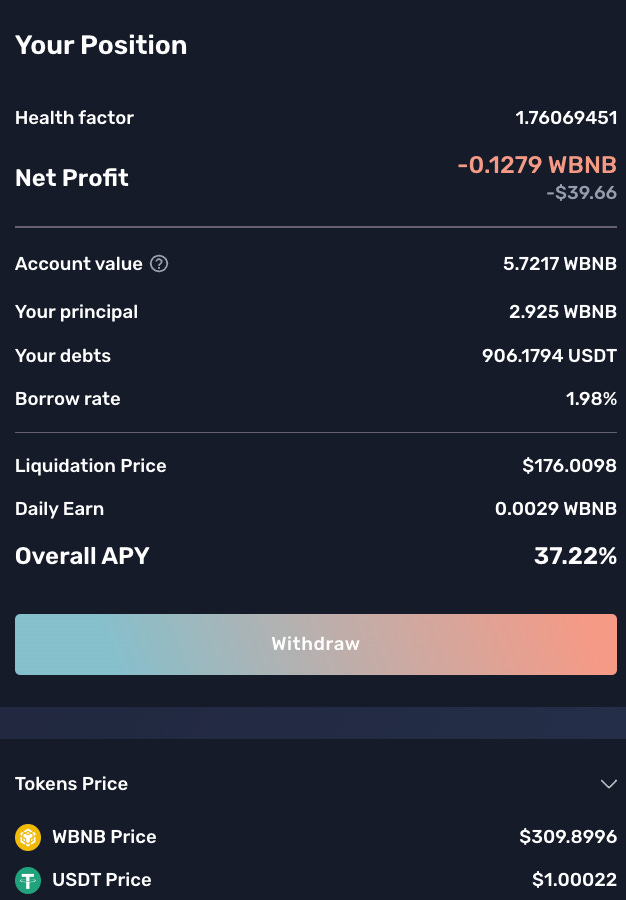
Step 3: Experience the ETH pool
It's the same as when you experience the BNB pool.
- Click on “One-Click Ape in" button
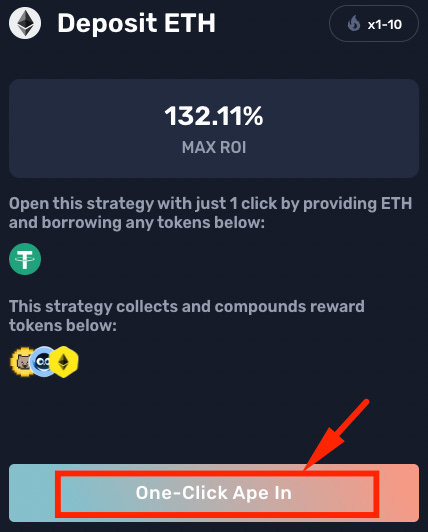
- Enter the number of ETH you want to deposit and the leverage (from 1-10) you want to borrow.
- Click on the “Enable ETH” button.

- Click on the “Deposit” button then confirm the transaction in your wallet.
- After a few waits, you will see your position with all the details and the number of funds you earn daily (in ETH).
3. Experience “Portfolio" feature
- Step 1: At the homepage of Gentoo, click on the “Portfolio” button
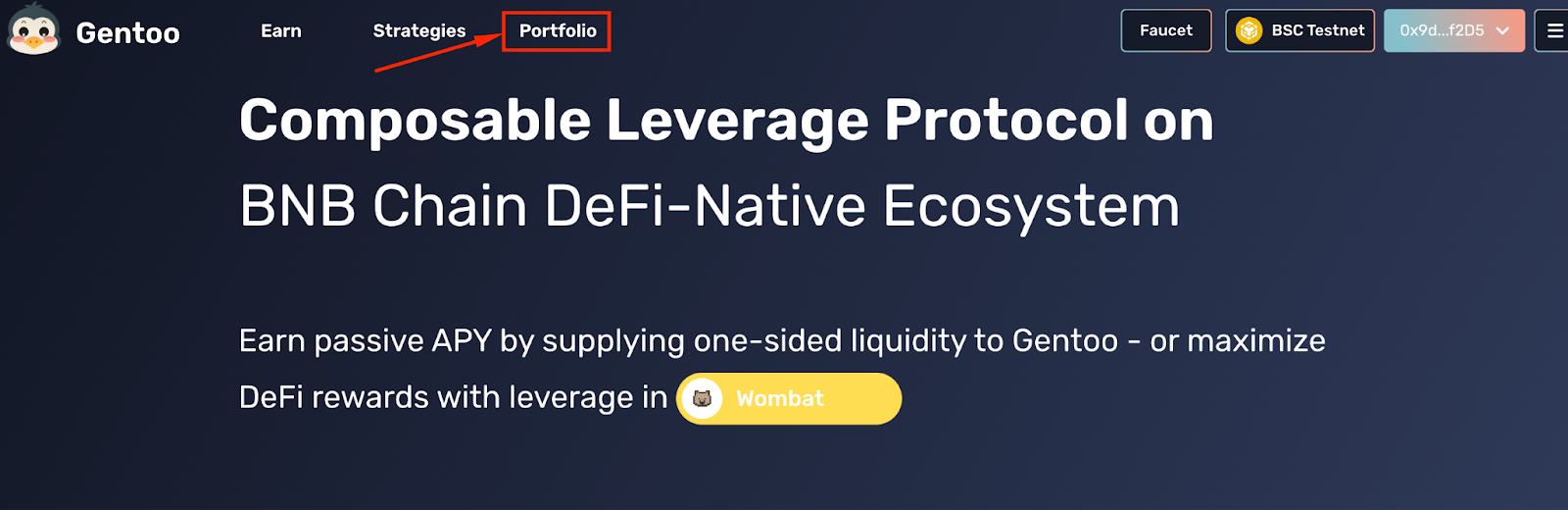
- Step 2: Check all the info
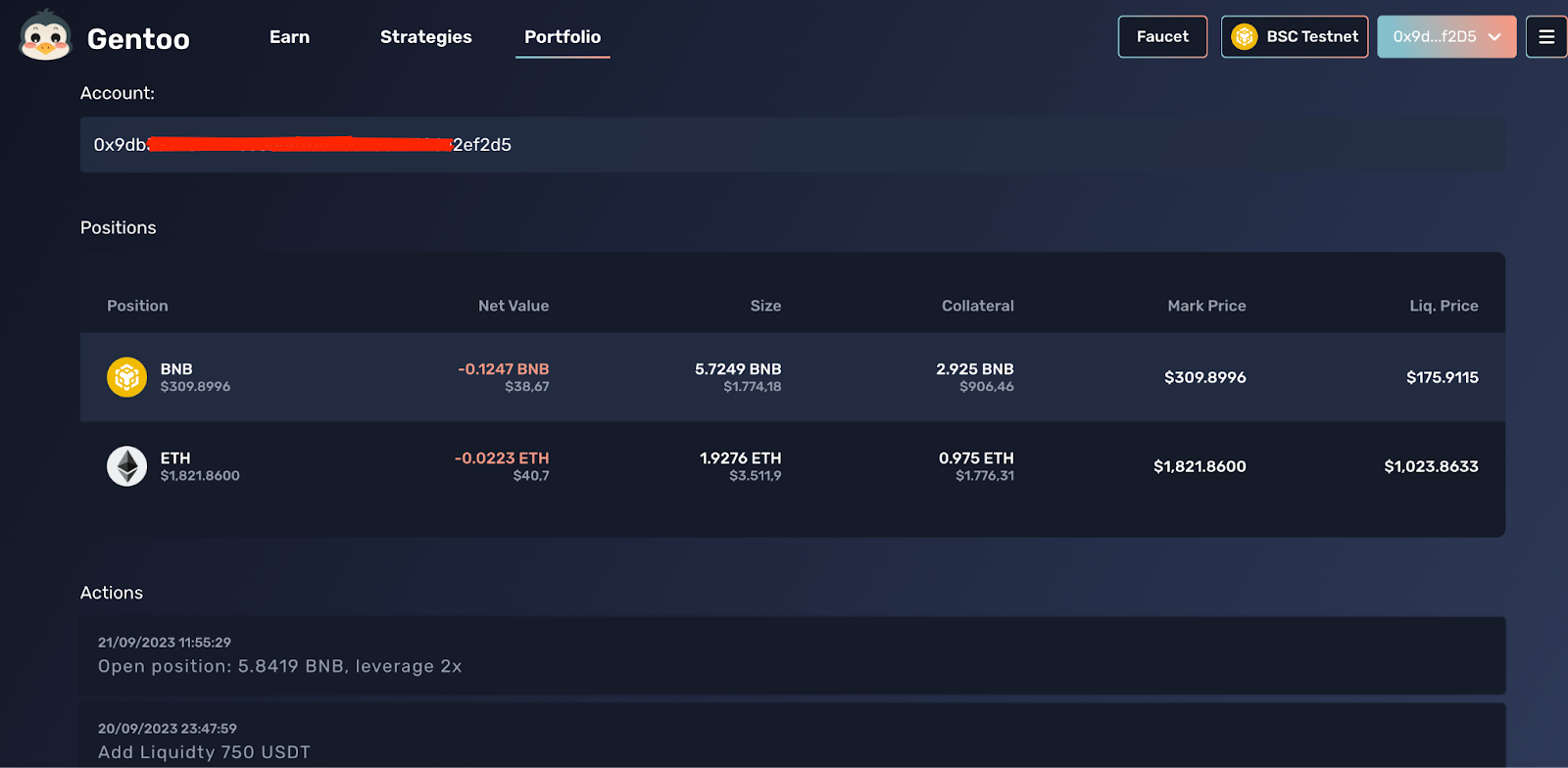
Portfolio is where you can track all the actions you have taken on Gentoo and the accompanying parameters include:
+ Account: Your wallet address
+ Positions: Farming positions you have participated in
+ Actions: Hash IDs of your actions